Select a desktop ID printer by evaluating daily volume capacity, built-in visual security like HoloKote, and local support. Opting for one-roof bundles from local manufacturers ensures printhead protection, consistent colour across cards and lanyards, and eliminates multi-vendor delays.
Prerequisites: Understanding Your School’s ID Printing Landscape
Before investing in a desktop ID card printer, school procurement officers must establish a baseline understanding of their institution’s specific needs. The landscape of campus security in 2026 requires more than just printing a photo on a piece of plastic; it demands a strategic approach to volume, security, and hardware longevity.
Procurement teams must first calculate their peak monthly printing volume. For most Indian schools, 80% of ID card printing occurs during a narrow four-week window at the start of the academic year. A printer that handles 50 cards a day effortlessly might fail catastrophically when pushed to print 500 cards daily during the admission rush. Understanding this seasonality dictates whether a mid-range desktop printer or a high-capacity enterprise model is required.
Additionally, officers must understand the types of cards being used. Are they standard CR80 PVC cards, or do they include proximity chips for access control? The physical composition of the card directly impacts the choice of printer technology—direct-to-card (DTC) versus retransfer printing. Establishing these prerequisites ensures that the subsequent evaluation of hardware is grounded in the school’s actual operational reality.
Core Concepts: Security, Printheads, and Local Production
When evaluating desktop ID printers, several core concepts separate reliable investments from costly liabilities. The first is visual security. In an era where digital manipulation is simple, physical ID cards must possess anti-counterfeiting measures. Technologies like Magicard’s HoloKote apply a secure watermark across the card’s surface during the standard printing process, requiring no specialized holographic laminates. This ensures that a student or staff ID cannot be easily duplicated by unauthorized local print shops.
The Critical Role of Card Edge Quality
The most common cause of premature ID printer failure is printhead damage, and the primary culprit is poor-quality blank PVC cards. When schools source cheap, unevenly cut cards, the raised burrs on the card edges strike the delicate printhead elements, causing dead pixels (white lines) on printed IDs. Protecting the printhead requires sourcing even-edged PVC cards. This is where local manufacturing scale becomes a distinct advantage. Facilities like Unicard Automation’s in-house Bengaluru factory, which boasts a daily production capacity of 1.5 to 2 lakh even-edged PVC cards, provide the precision necessary to extend printhead lifespans significantly.
Brand-Agnostic Evaluation
While specific models offer unique features, a brand-agnostic evaluation focuses on the synergy between the hardware and the consumables. A high-end printer fed with low-grade PVC will underperform a mid-range printer fed with precision-cut cards. The core concept is to view the printer not as a standalone device, but as the engine of a broader, interconnected ID production system.
Practical Application: Step-by-Step Printer Selection
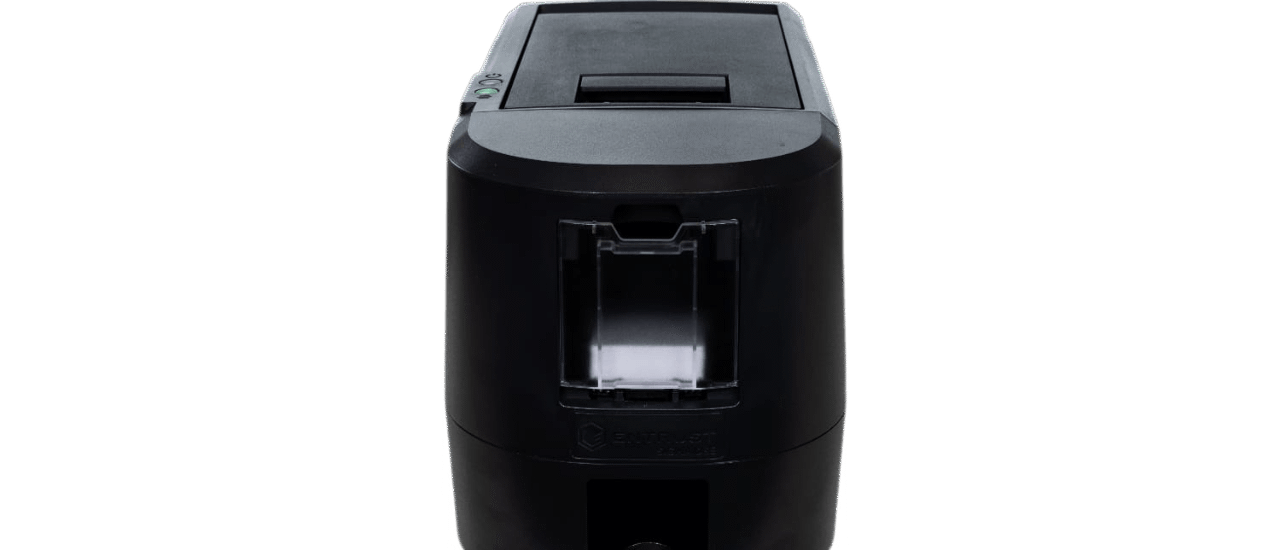
Translating core concepts into a purchasing decision requires a structured, step-by-step evaluation. Whether considering robust models like the Magicard 300 Neo or the high-capacity Magicard E+, procurement officers should follow this practical application framework.
- Assess Daily Volume and Speed: Begin by matching the printer’s output speed to your peak admission days. The Magicard 300 Neo, for instance, is optimized for schools needing reliable, medium-volume output with high-definition image quality, while the E+ is designed to handle larger, continuous batches. Calculate your maximum daily requirement and ensure the printer’s duty cycle exceeds it by at least 20%.
- Evaluate Built-in Security: Check if the printer offers integrated security features. Request a demonstration of watermark technologies like HoloKote. Verify if the printer allows for custom watermarks featuring the school’s specific crest or logo, adding a bespoke layer of security without recurring consumable costs.
- Analyze Consumable Compatibility: Do not purchase a printer without testing the exact blank cards you intend to use. Run a batch of 100 cards to check for feeding errors, static buildup, and edge-strike risks. Ensure the ribbons and cleaning kits are readily available in the Indian market to avoid import delays.
By systematically applying these steps, schools can bypass marketing jargon and select hardware that genuinely meets their operational demands.
Advanced Techniques: The Power of the One-Roof Bundle
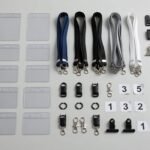
Procuring a reliable printer is only half the battle; managing the ongoing supply chain and maintaining brand consistency is where many school administrations struggle. Advanced procurement strategies in 2026 heavily favor the ‘one-roof bundle’ approach. This technique involves sourcing the printer, blank cards, custom lanyards, and card holders from a single, integrated manufacturer.
Ensuring Colour Consistency
A common issue in school branding is the mismatch of colours—the blue on the ID card doesn’t match the blue of the lanyard, which clashes with the holder. By utilizing a one-roof bundle from a provider like Unicard Automation, schools guarantee strict colour consistency across all physical identity assets. Because the PVC cards are manufactured, printed, and paired with lanyards in the same Bengaluru facility, quality control is centralized.
Eliminating Multi-Vendor Friction
When an ID printer jams or print quality degrades, schools with fragmented supply chains often face vendor finger-pointing.
Expert Tips for Long-Term Reliability
To maximize the return on investment for school ID card printers, procurement officers should adopt long-term maintenance and operational strategies. These expert tips ensure that the hardware survives multiple academic years while maintaining pristine print quality.
- Prioritize Printhead Protection: The printhead is the most expensive component of a desktop ID printer. Protect it by exclusively using even-edged, factory-direct PVC cards. Avoid storing blank cards in dusty environments, as debris acts like sandpaper against the printhead during the printing process.
- Implement Strict Cleaning Regimens: Do not wait for print quality to drop before cleaning the printer. Implement a mandatory cleaning cycle using manufacturer-approved cleaning rollers and pens after every 500 prints. This simple habit prevents ribbon misfeeds and colour bleeding.
- Leverage Local Factory Advantages: Sourcing from an in-house factory in Bengaluru rather than relying on imported consumables ensures that your school is insulated from global supply chain disruptions. It also guarantees that the PVC cards are manufactured to the specific climatic conditions of India, reducing issues related to card warping or static cling during the monsoon season.
By combining brand-agnostic hardware evaluation with the strategic use of local, one-roof manufacturing bundles, Indian schools can build secure, efficient, and highly reliable ID card programs.
1. Brand-Agnostic Volume & Edge Evaluation
Assessing a printer based on true daily throughput and card edge quality prevents printhead damage and ensures the hardware matches the school’s peak admission season demands.
- Calculate peak daily print volume during admission months to establish a baseline duty cycle.
- Inspect blank PVC card edges from suppliers; reject unevenly cut blanks that cause printhead strikes.
- Match printer duty cycles to actual daily output needs, rather than relying solely on theoretical maximum speeds.
2. Integrated Visual Security Implementation
Implementing on-card visual security like HoloKote prevents unauthorized campus access without requiring expensive, complex smart-chip infrastructure.
- Audit current ID card counterfeiting risks within the campus environment.
- Select desktop printers with built-in, consumable-free watermark capabilities.
- Design ID templates that incorporate custom school logos directly into the security overlay.
3. One-Roof Procurement Consolidation
Sourcing printers, blank PVC cards, lanyards, and holders from a single local manufacturer guarantees colour consistency and eliminates multi-vendor finger-pointing during hardware failures.
- Identify vendors with in-house manufacturing capabilities for both hardware support and consumables.
- Request bundled samples of cards, lanyards, and holders to verify exact brand colour matching.
- Establish a single Service Level Agreement (SLA) covering both hardware maintenance and consumable supply.
Frequently Asked Questions
What is HoloKote and why do schools need it?
HoloKote is a built-in security feature found in Magicard printers that prints a transparent, holographic-like watermark across the ID card’s surface. Schools need it because it prevents unauthorized duplication of student and staff IDs without requiring expensive custom holographic overlays.
How does PVC card edge quality affect my ID printer?
Poorly cut PVC cards have raised, uneven edges (burrs) that physically strike the delicate printhead during printing. Over time, these strikes cause dead pixels, resulting in permanent white lines on printed IDs. Using even-edged cards protects the printhead and extends the printer’s lifespan.
Why should schools choose a one-roof bundle for ID printing?
A one-roof bundle sources the printer, blank cards, lanyards, and holders from a single manufacturer. This ensures exact colour consistency across all items, protects the printhead by guaranteeing consumable compatibility, and eliminates multi-vendor disputes if technical issues arise.
What is the ideal daily capacity for a school ID printer?
The ideal capacity depends on the school’s peak admission season. While a school may only print 10 cards a day normally, they might need to print 300 a day in June. Procurement officers must choose a printer whose duty cycle comfortably exceeds that peak daily requirement.
Powered by 42flows